
Respond
Gather evidence and investigate incidents with read-only AI agentsEdit
Open an incident, run a read-only investigation, and review findings with citations. Apply fixes with your own tools, then use tests or monitors to confirm recovery.
Read-only
Supercheck recommends checks and fixes. It never changes your infrastructure
On demand
Opening an incident does not start an investigation unless the project turned on automatic investigation. Otherwise select Run investigation when ready
Cited
Findings link to evidence. When the evidence is weak the result is Inconclusive, not a guess
Investigation Workflow
Scroll horizontally to view the full diagram.
Native Evidence
Supercheck reads stored summaries and artifact references from its own tests, monitors, runs, and status pages.
| Source | Examples |
|---|---|
| Monitors | Failed monitor screenshots, historical results with P50/P95/P99 latency trends |
| Synthetic tests | Playwright videos, console logs, network traces |
| Runs | Run logs and step artifacts |
| Status pages | Public and private status page states |
The agent reads bounded text evidence and artifact references. It does not watch videos or analyze screenshot contents. Open screenshots and videos yourself from the source run or monitor.
Service Catalog
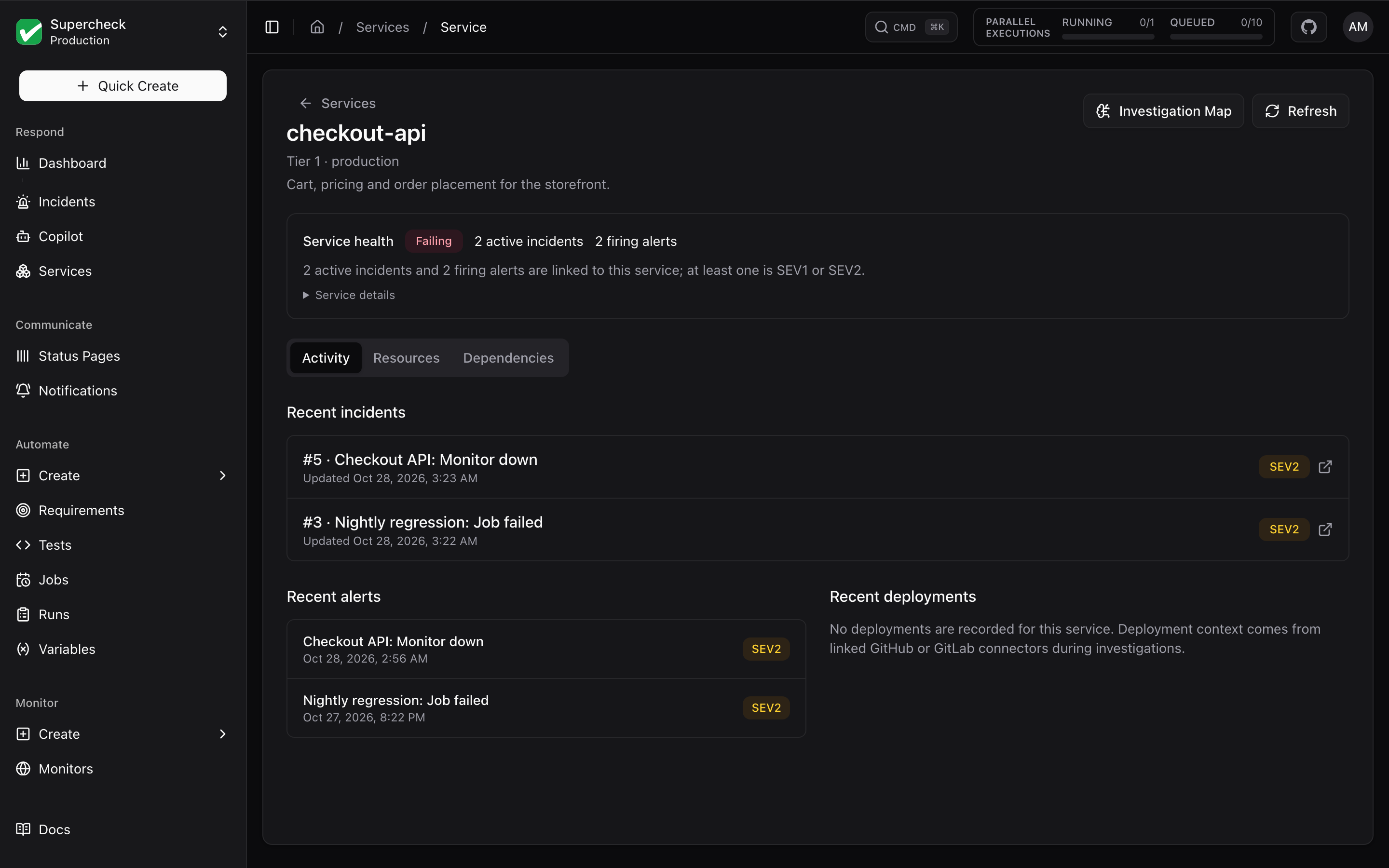
Register the systems you operate in the Services catalog. Services provide context for causal discovery, dependency tracking, and connector scoping. They are optional for stored-evidence investigations. See AI SRE setup.
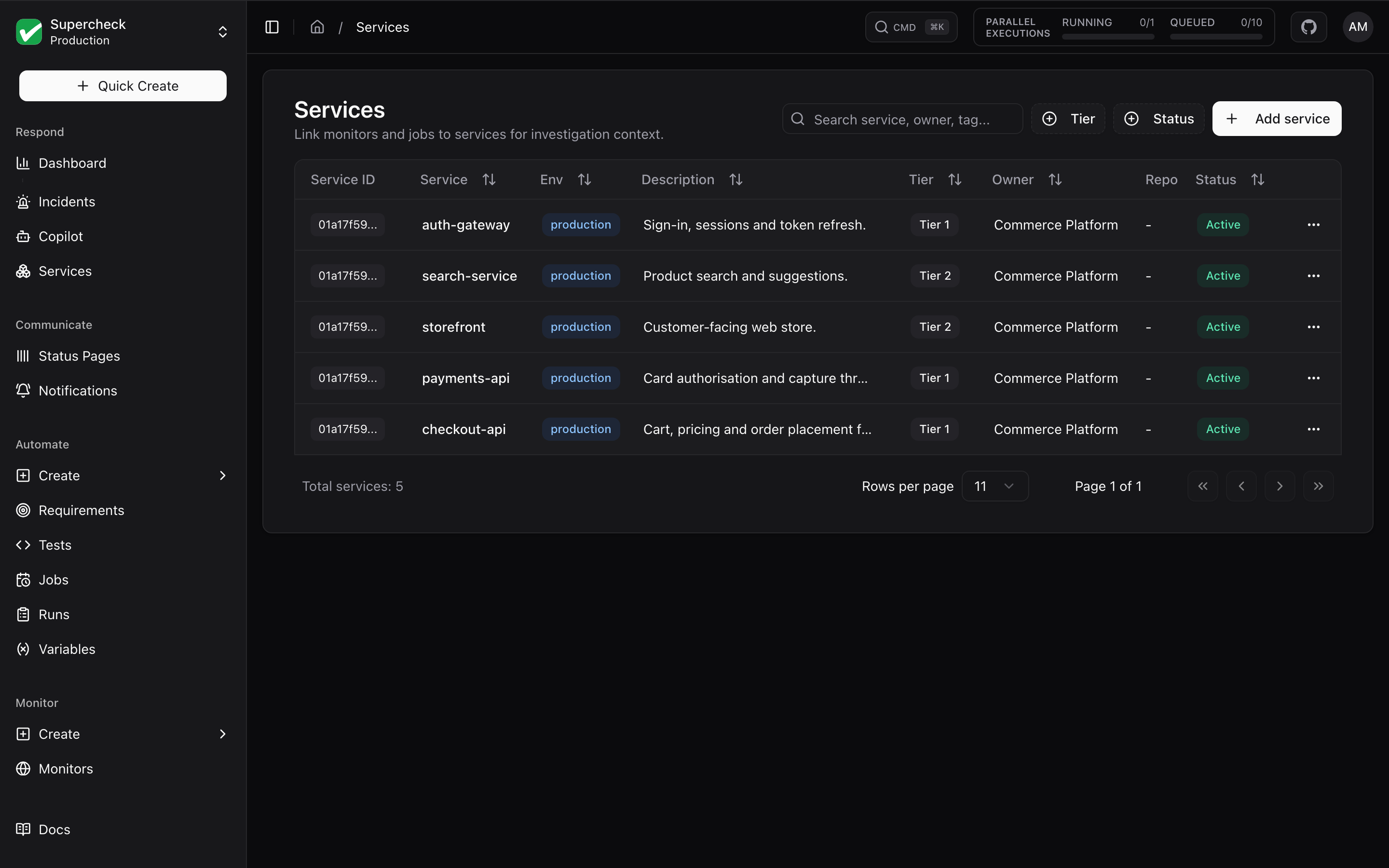
Open a service to see its health, recent incidents and alerts, linked resources, and dependencies.
Where to Find Things
| Screen | Purpose |
|---|---|
| Communicate → Notifications → Delivery history | The latest alert notifications sent. Each failure links to its incident (#N); otherwise select Open incident |
| Communicate → Notifications | Notification channels. See Alerts |
| Respond → Incidents | Incident queue and workspaces. Run investigations, review hypotheses and similar incidents, draft post-mortems |
| Respond → Copilot | Ask questions about symptoms, logs, or active incident evidence |
| Respond → Services | Service metadata, owners, repositories, and tiers |
| Settings → Organization → Integrations | Read-only connectors to external tools |
Get Started
Open an incident
Select Open incident on an alert signal, or choose Respond → Incidents → New incident.
Run the investigation
Follow the incident guide to investigate, save findings, and resolve.
Add sources as needed
Connectors are optional. Start with stored evidence.