
AI SRE Setup
Configure services, read-only integrations, saved queries, and Private AgentsEdit
Organization owners and admins configure AI SRE from Settings → Organization (Project Admins do not see this page). Responders start from Respond → Incidents; raw alerts are in Communicate → Notifications → Delivery history. Copilot and Services sit under Respond.
Open Setup guide (under More on Integrations, or beside Add service and Add query) to review setup status.
Self-hosted: Configure an AI provider to use AI SRE. Start with stored evidence. Connectors and Private Agents are optional.
Services
Define the systems responders recognize
Integrations
Read-only connectors and saved queries
Private Agents
Reach providers inside your network
Services
Use Services to define systems such as checkout-service or payment-gateway. Select Add service to register one.
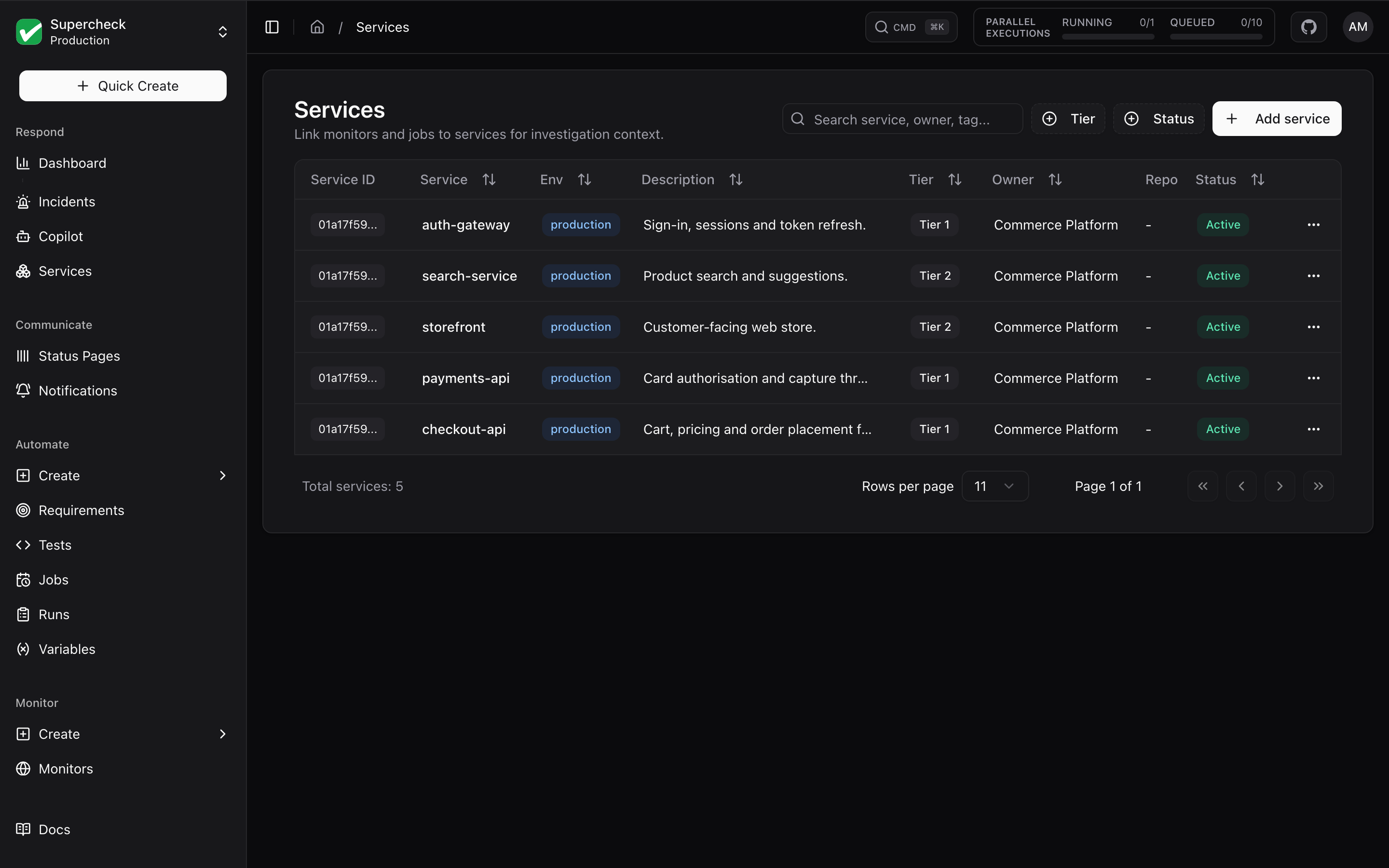
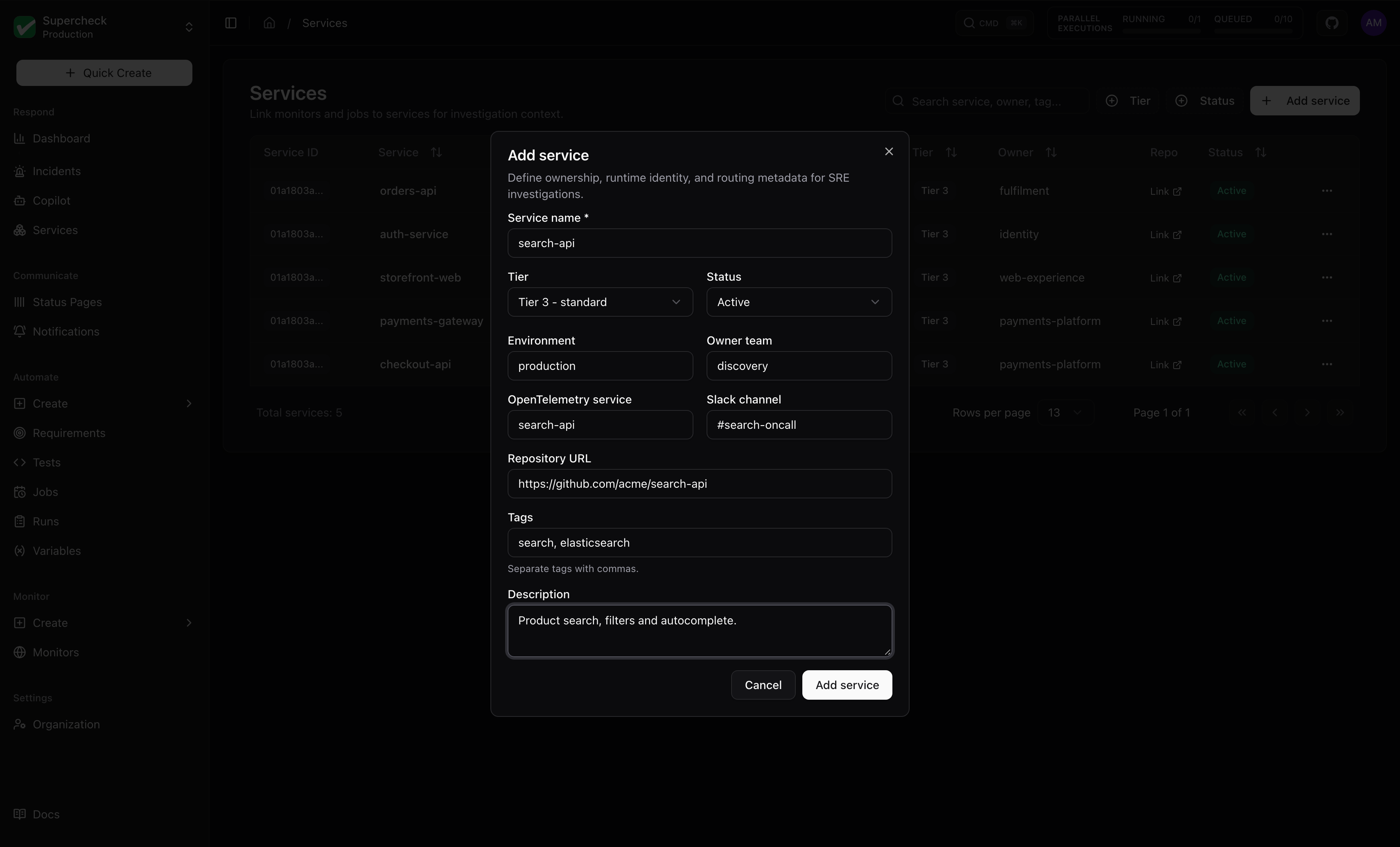
For each service, set its name, tier, Status (Active or Deprecated), environment, owner team, Owner (one person who is a project editor or admin; they are emailed when a SEV1 or SEV2 opens if the project's incident policy has Email the service owners for SEV1 and SEV2 on and the incident is opened by someone else, and an alert incident for the service is assigned to them), OpenTelemetry service name, Slack channel, repository URL, Tags and Description. The services list opens on Active services; archiving a service marks it deprecated, and you can show it again with the Status filter (which can also list merged services). The service detail page has three sections.
| Section | Shows |
|---|---|
| Activity | Opens first. Recent incidents, alerts, and deployments |
| Resources | Linked monitors, jobs, tests, k6 runs, and status components |
| Dependencies | Service relationships. Expand Suggested dependencies to approve or reject discoveries and review past decisions |
Service health shows its status and an explanation. Nonzero incident and alert counts stay visible. Expand Service details for tier, owner, available health score, and calculation time.
Suggested relationships are not used as service dependencies or for alert correlation until an authorized user approves them.
Integrations
Add read-only evidence sources under Settings → Organization → Integrations: select Add connector, choose the Connector type (Prometheus, Grafana, Loki, GitHub, and more), and set its service scope. Use the narrowest credential and scope your queries need, and validate after setup. See Connectors for supported providers.
Connectors are optional: start with stored Supercheck evidence and add external sources as needed.
Saved queries (optional)
Saved queries are named templates for read-only questions your team repeats, such as a service's 5xx rate over the last five minutes. You do not need one to investigate stored evidence or run supported live connector searches.
In Settings → Organization → Integrations, choose More → Saved queries to open the saved queries dialog, then select Add query.
| Property | Behavior |
|---|---|
| Connector | Each query is tied to one enabled connector |
| Validation | Parameters and allowlist are validated |
| Limits | Returned rows, output size, and runtime are limited |
| Query types | Depend on the connector. Include PromQL, LogQL, TraceQL, and HTTP GET |
| Disabling | Prevents future executions. Evidence already collected stays |
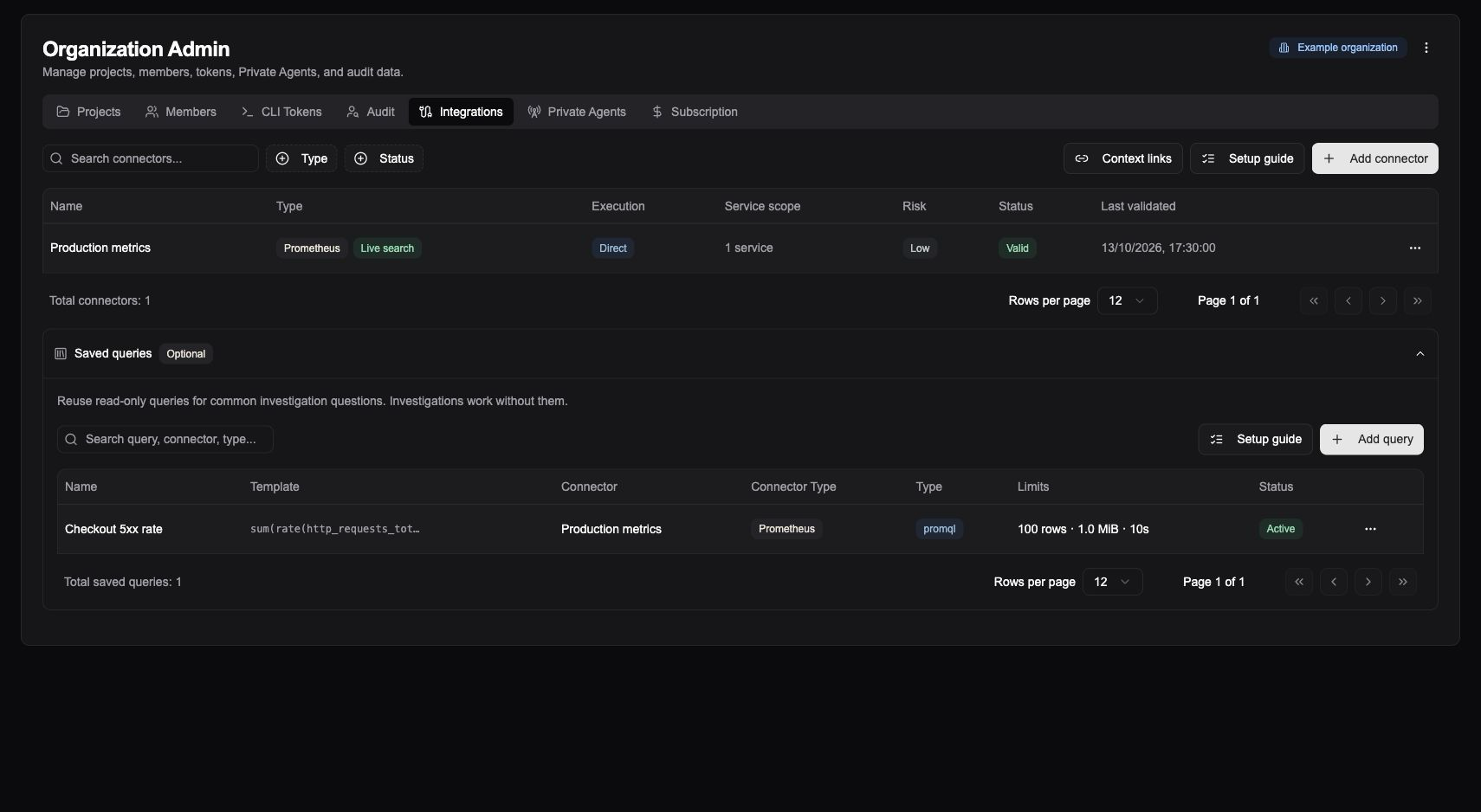
Query names must be unique per connector among active queries.
Private Agents
Use a Private Agent when a supported provider is reachable only inside your network. On Supercheck Cloud, you keep using the cloud dashboard and run only the agent locally. No inbound firewall access is required.
Register the agent
Go to Settings → Organization → Private Agents and register it. Search and filter the list by status, scope, or network, and select a row to see its version, last heartbeat, and the connectors that use it.
Run it
Run it with Docker Compose inside your network and confirm it shows connected.
Add a connector
In Settings → Organization → Integrations, add a connector, choose Private Agent, and select the registered agent.
Validate
Validate the connector, then enable live sources in an incident investigation when you need its evidence.
Keep provider credentials in the connector's dedicated credential fields.
Setup Order
Optionally save a query for bounded questions responders repeat, and validate each connector with live sources enabled before relying on it during an incident.
Permissions
| Task | Required permission |
|---|---|
| Manage integrations, saved queries, or Private Agents | Connector configure |
| Edit service metadata, dependencies, or links | Service update |
| Approve topology suggestions | Service configure |
| Create or investigate incidents | Matching incident permission |