
Variables
Store configuration, secrets, and data files securelyEdit
Variables let you store configuration values, sensitive credentials, and reusable test data that your tests can access at runtime. Use variables for URLs, timeouts, and settings. Use secrets for API keys, passwords, and tokens that need encryption. Use file variables for CSV datasets, JSON fixtures, YAML/XML configuration, and other text-based test assets.
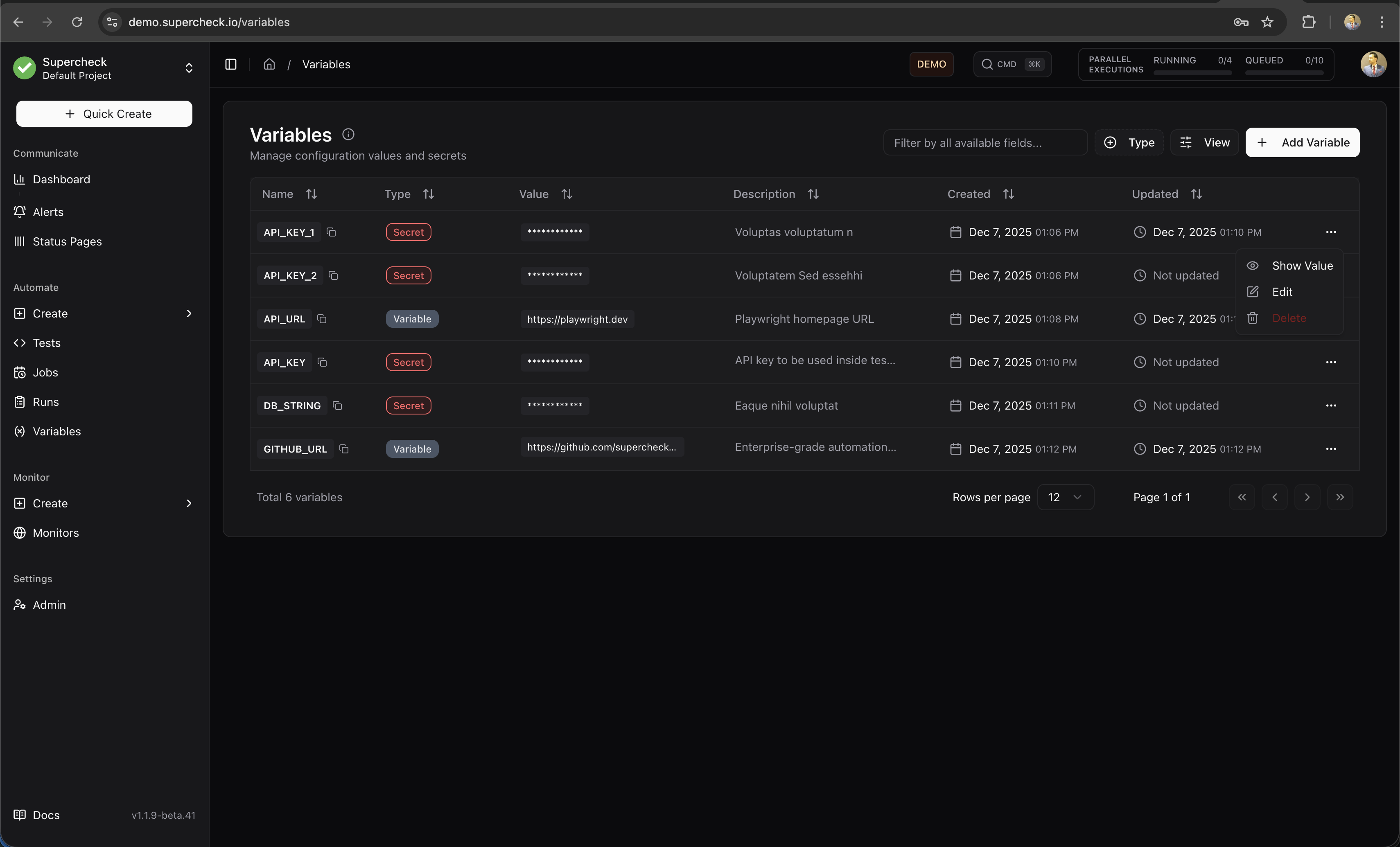
Use file variables for non-sensitive test data and fixtures. Keep passwords, API keys, and tokens in Secrets, not inside uploaded files.
Variables vs Secrets vs Files
| Choose | Use for | Read in a test | Visibility |
|---|---|---|---|
| Variable | URLs, timeouts, configuration | getVariable('KEY') | Plain text in the dashboard and output. |
| Secret | Passwords, API keys, tokens | getSecret('KEY') | Encrypted at rest; revealing requires permission. Avoid logging it. |
| File | CSV, JSON, YAML, XML, TSV, or text fixtures up to 5 MB | Playwright: readFile('KEY'); k6: open(getFile('KEY')) during init | Uploaded test data; do not include credentials. |
Creating Variables
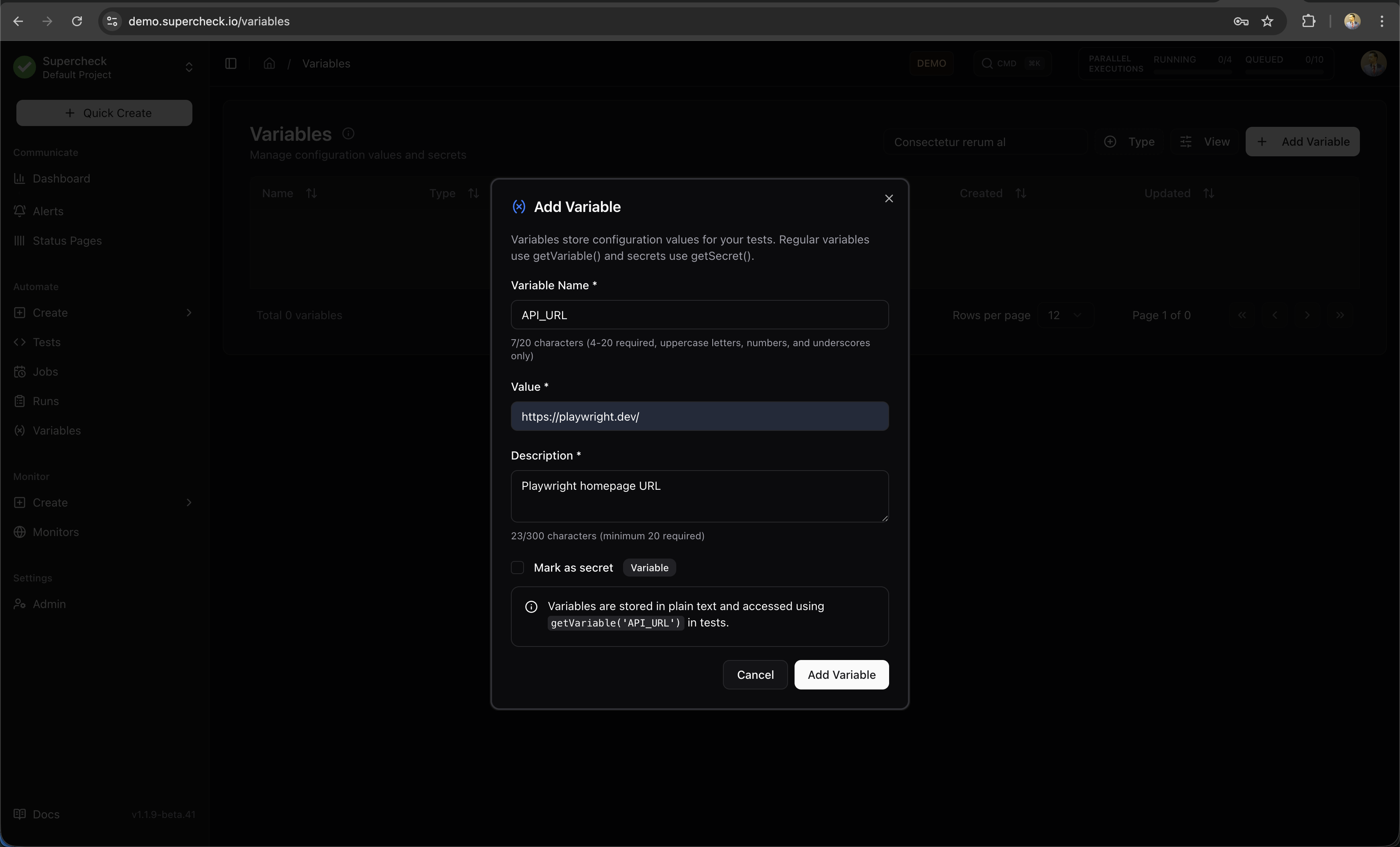
- Go to your project's Variables page
- Click Add Variable
- Select the Variable type (default)
- Enter a key (e.g.,
BASE_URL) - Enter the value (e.g.,
https://staging.example.com) - Optionally add a description for your team
- Click Add Variable
Using Variables in Tests
Access variables and secrets in your test code using the built-in functions:
Use for non-sensitive configuration:
// Basic usage
const baseUrl = getVariable('BASE_URL');
const timeout = getVariable('TIMEOUT');

// Navigate using variable
await page.goto(baseUrl + '/login');
readFile() is for Playwright and other Node.js-based execution. k6 does not support readFile(). For k6, always use open(getFile('KEY')) during init context.
Secret Protection
Use getSecret() when a test needs a credential. Execution output masks secret values, but you should still avoid logging them:
// Avoid intentional secret logging in scripts
// Worker redaction is an additional protection layer for accidental output
console.log('API key configured:', !!getSecret('API_KEY'));

const actualKey = getSecret('API_KEY');
Secrets work normally in:
- Playwright actions (
page.fill(),page.click()) - HTTP headers and request bodies
- URL parameters
- Comparisons and conditionals
Common Patterns
const env = getVariable('ENVIRONMENT'); // 'staging' or 'production'
const baseUrl = getVariable(`${env.toUpperCase()}_URL`);

await page.goto(baseUrl);
Best Practices
Security Features
Store credentials as Secrets to encrypt saved values. Use the reveal action only when needed, and keep secrets out of uploaded data files.