
AI SRE
Investigations that cite their evidence
When a monitor fails, open an incident and run a read-only AI investigation over stored results, test artifacts and the connectors you enable. Findings link to evidence, and missing data is reported as a gap.
Key capabilities
Read-only by design
Supercheck recommends checks and fixes. It does not change your infrastructure. A full investigation starts when you select Run investigation; administrators can separately enable automatic triage.
Cited findings
Reports label statements as Fact, Inference or Hypothesis. If the evidence cannot determine a cause, the report states the gap.
Evidence from where you already look
It reads stored monitor results, synthetic test artifacts, run logs and status page states, and optional read-only connectors such as Prometheus, Grafana, Loki, Kubernetes, Sentry and GitHub.
Open an incident from an alert
Select Investigate next to a failure signal, or create an incident from scratch. Opening an incident does not start an investigation.
- Filter the queue by severity SEV1 to SEV4
- Link the incident to a service in the catalog
- Trends show volume and mean time to resolution for the last 30 days
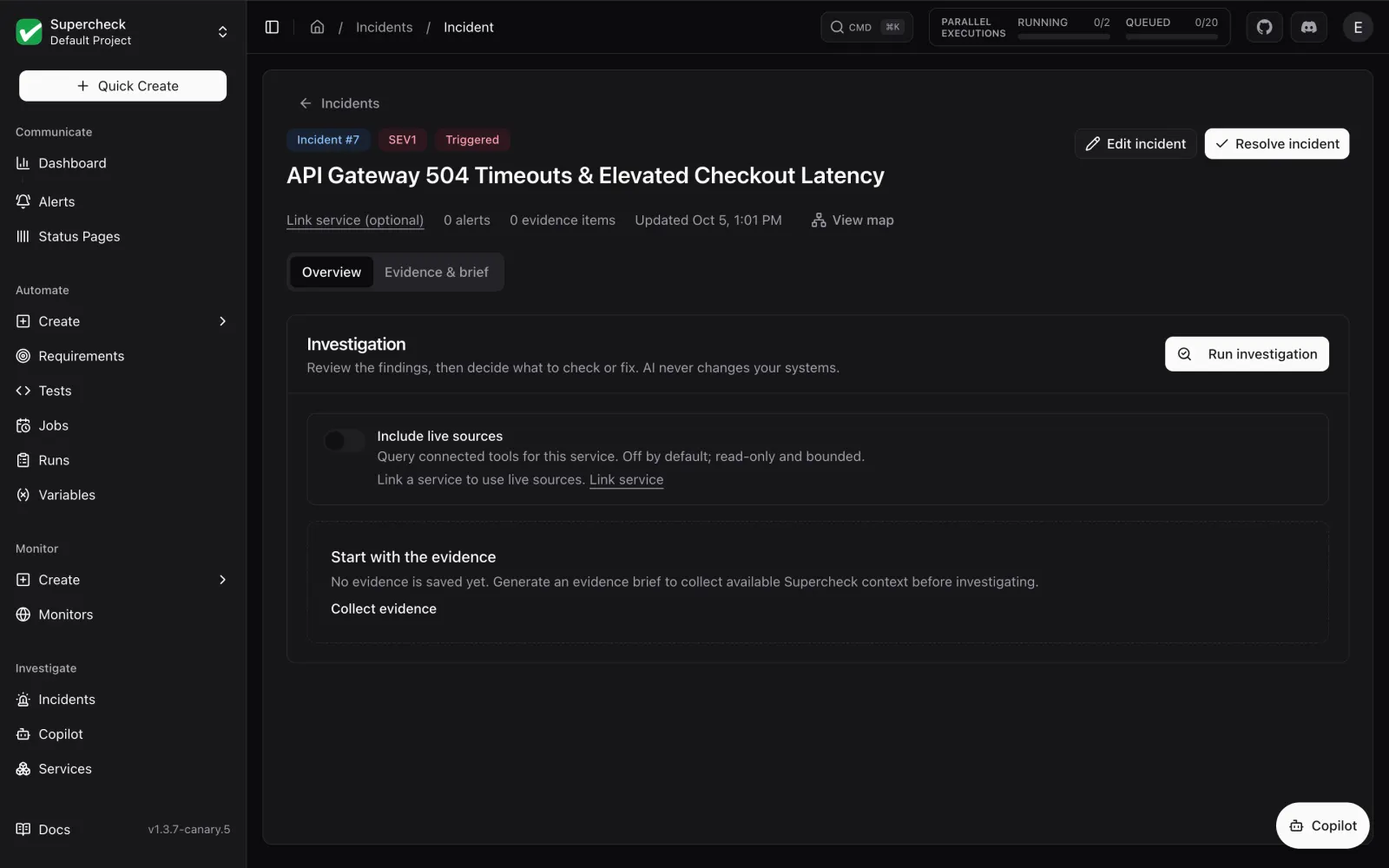
Run the investigation and review the report
The investigation reads stored evidence and, if you turn on live sources, queries your connectors.
Investigation report- What changed, blast radius, strongest signals and likely cause
- Evidence gaps and next safe checks
- Save the report or download an evidence brief as Markdown
Ask follow-up questions in Copilot
Copilot answers operational questions in general chat or inside an incident, using saved evidence and, when Live sources is on, fresh connector data.
Copilot guide- Incident chat keeps the incident's evidence in context
- Chat history is private to you within the organization and project
- Copilot cannot change your systems or apply a fix
Connect read-only sources
Add connectors under Organization, Integrations. Use a Private Agent for APIs that are reachable only inside your network.
Connectors- Prometheus, Grafana, AWS CloudWatch, Datadog, Loki and Elasticsearch / OpenSearch
- Grafana Tempo, Kubernetes, Sentry, GitHub, GitLab, PagerDuty and Opsgenie
- Credentials and raw connector responses are excluded from saved reports
Frequently asked questions
- Does AI SRE change my systems?
- No. It is read-only. You apply fixes with your own tools, then re-run tests and review monitors to confirm recovery.
- Do I need connectors?
- No. Connectors are optional. You can start with the evidence Supercheck already stores from its own monitors, tests and runs.
- Does it watch videos or read screenshots?
- No. The agent reads bounded text evidence and artifact references. Open screenshots and videos yourself from the run or monitor.
- Which AI provider does it use?
- Self-hosted installs use an AI provider that an administrator configures. Supercheck Cloud is waitlist-only.
- Who can run investigations?
- Org Owners, Org Admins and Project Admins can run investigations and use live sources. Project Editors can investigate stored evidence. Project Viewers can view incidents.
See an investigation end to end
Explore the live demo to see incidents and evidence with sample data.