
For QA engineers
Record, run and schedule your Playwright and k6 suites
Build browser, API and database tests in the Playground or record them in your browser. Run them on demand, on a schedule or from CI, and keep production covered with synthetic monitors.
What Supercheck fixes
Every test written from scratch
Record a flow with the Supercheck Recorder for Chrome or Edge, or describe it to AI Create, then edit the Playwright script it produces.
Suites that only run before a release
Group tests into jobs that run on a cron schedule or from CI, and attach a test to a synthetic monitor to keep checking production.
Coverage nobody can see
Track requirements, link them to the tests that cover them, and filter by coverage status to find the gaps.
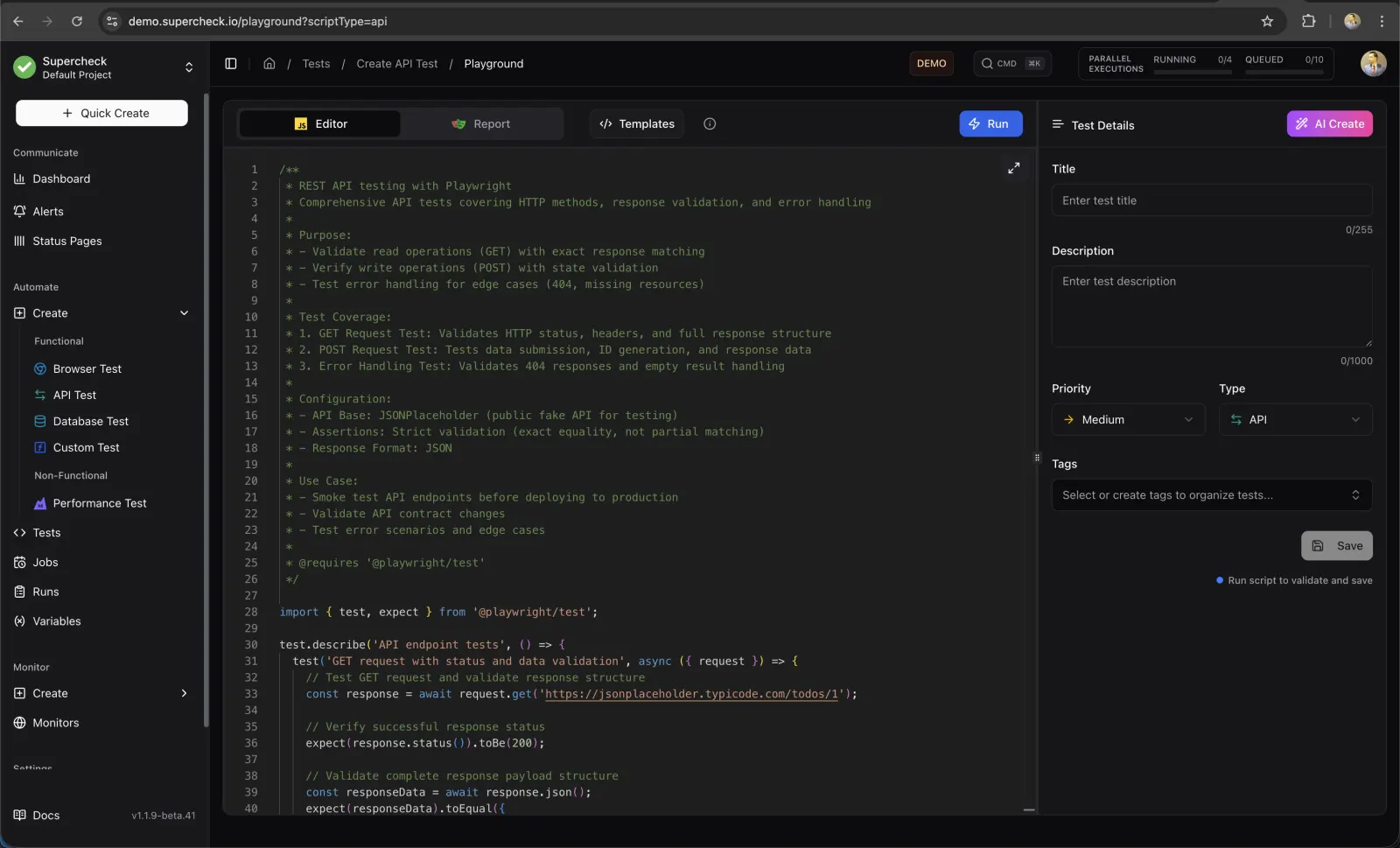
Write, record or generate a test
The Playground is a browser-based editor for Playwright and k6 scripts, with templates, AI Create and AI Fix.
- Recorder extension for Chrome and Edge
- Browser, API, database and custom tests
- Reports with traces, screenshots and video for every run
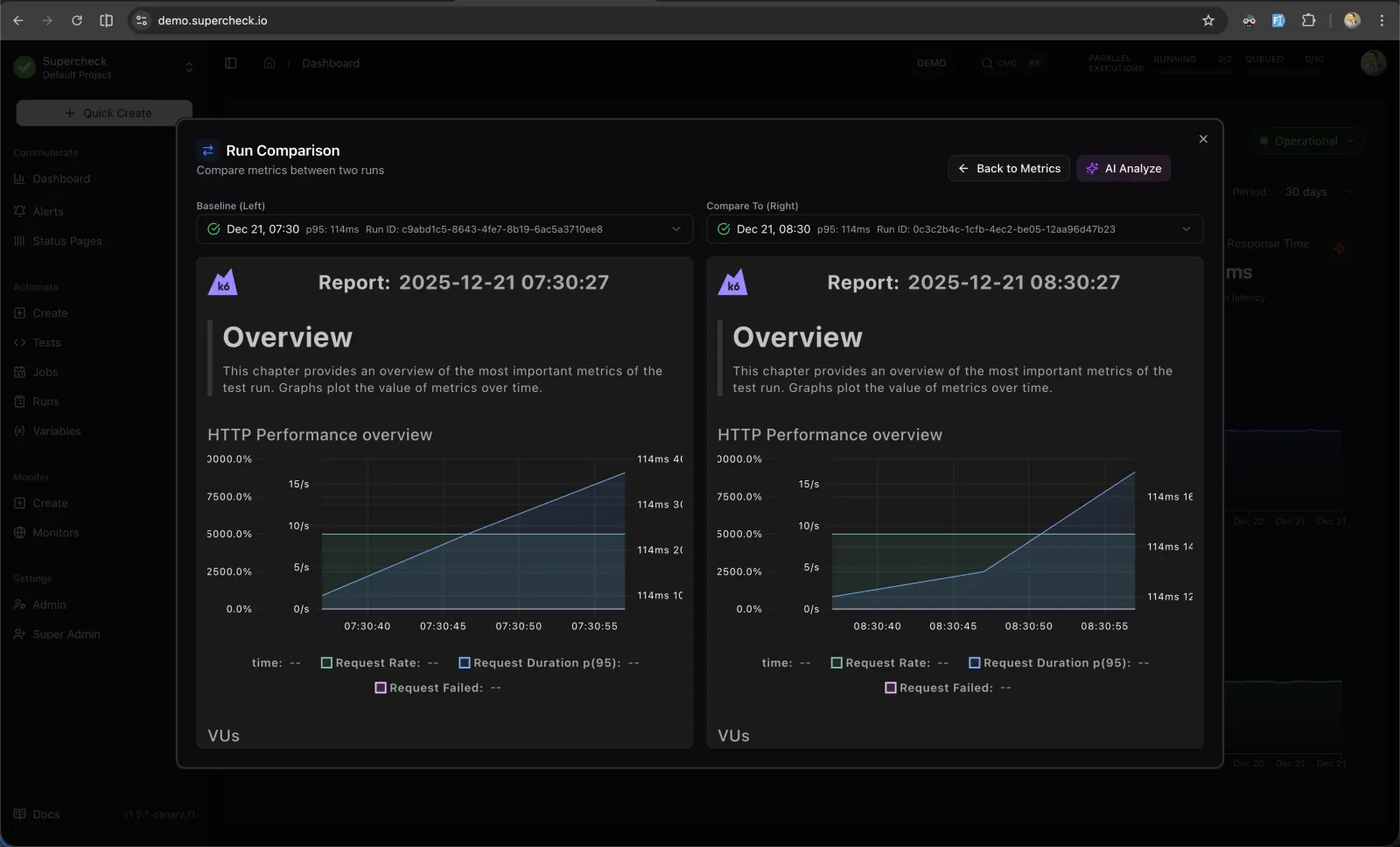
Load test with k6
Run k6 scripts, follow the logs as they stream, and compare two runs side by side to spot a regression.
- Virtual users, load profiles and thresholds
- Streaming logs while the test runs
- Side-by-side comparison of two runs of a job
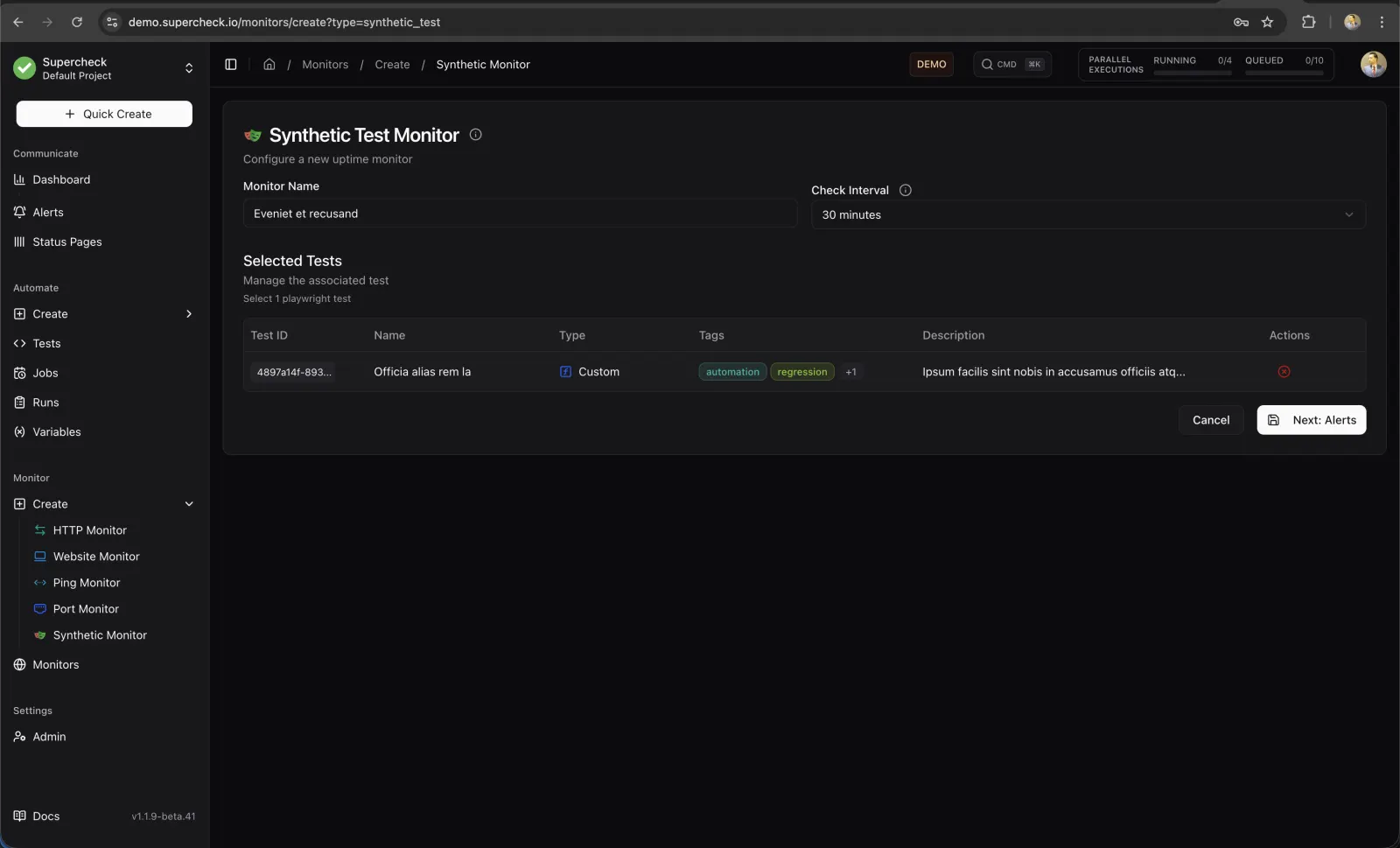
Turn a test into a monitor
Select an existing Playwright test and run it on a schedule as a synthetic monitor, with the same alerts as any other monitor.
- Synthetic checks every 5 minutes or longer
- Alerts on failure and recovery
- The monitor reuses the test you already maintain
Know what is covered
Add requirements by hand or extract them from a PRD or specification with AI, then link each one to its tests.
Requirements- Extract requirements from PDF, DOCX, Markdown or text
- Filter by priority, coverage status and tags
- Export requirements as CSV
Give your suite a schedule
Open the live demo to try the Playground, or install the Recorder and record your first flow.