
For developers
Tests and monitors that live next to your code
Define Playwright tests, k6 scripts, monitors and schedules in TypeScript. Review them in pull requests, then deploy them from your terminal or CI with the Supercheck CLI.
What Supercheck fixes
Monitors edited by hand drift
A change made in a web form leaves no review trail. With supercheck.config.ts, monitor and job changes go through a pull request, and supercheck diff shows what a deploy will change.
Green in CI, broken in production
Run the same Playwright tests from CI, then schedule them as jobs or attach them to synthetic monitors that keep checking production.
Flaky selectors eat your afternoon
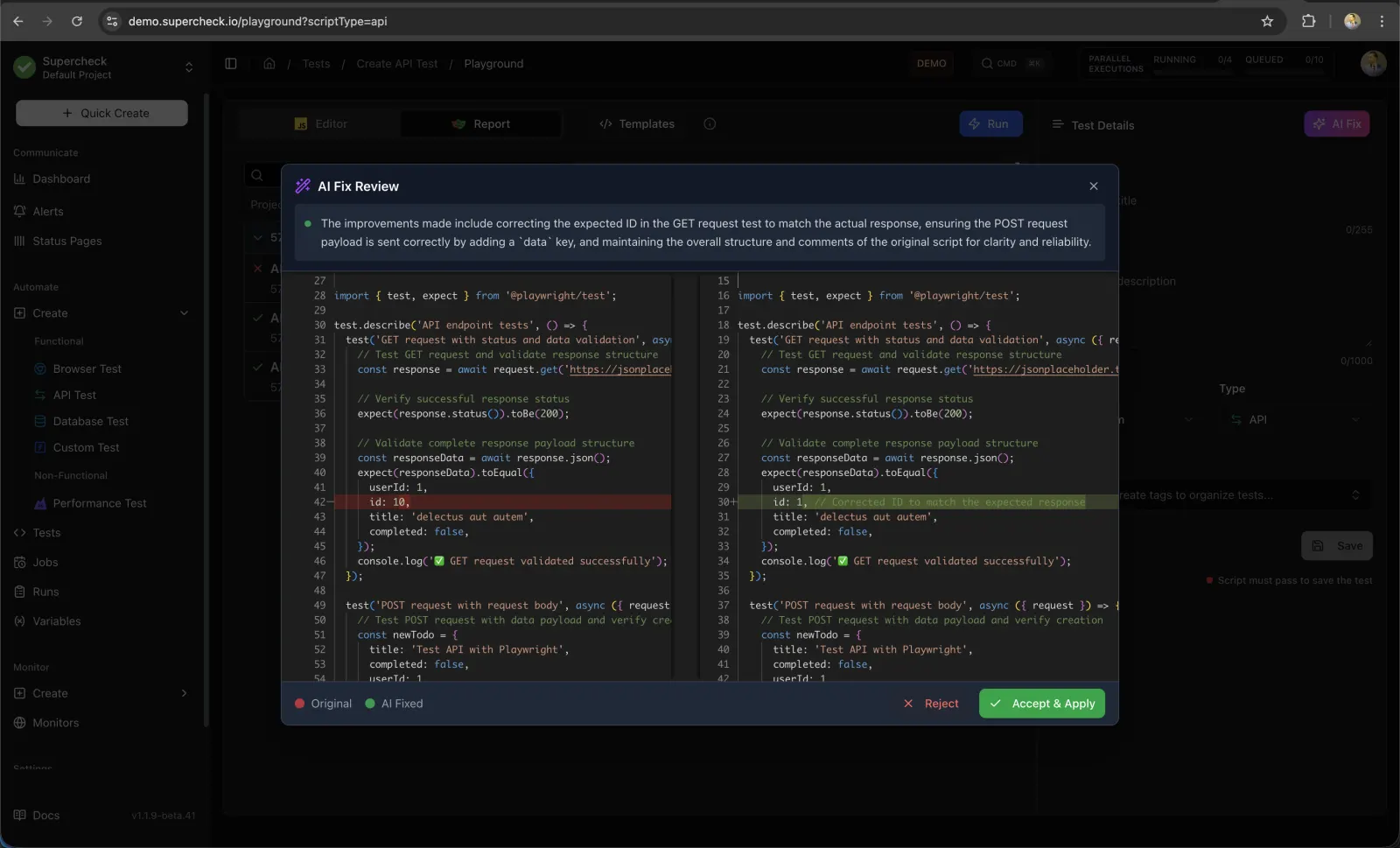
AI Fix reads a failed run and proposes a change to the script. You review it side by side with the original and decide whether to apply it.
Start from the project you already have
Pull exports an existing project into a config file and test scripts. From then on, diff and deploy keep Supercheck in step with your repository.
- Monitors, jobs, alert channels, variables, tags and status pages in one file
- Test scripts written under _supercheck_/
- Changed files are backed up before pull overwrites them
# Export what already exists in the project
supercheck pull

# See exactly what a deploy would change
supercheck diff

# Apply the configuration
supercheck deploy

# Write a GitHub Actions workflow for pull requests and main
supercheck ci init --github
Fix a failing test without starting over
Write tests in the Playground with templates and autocomplete. When one fails, AI Fix suggests a change that you can accept or reject.
- Browser, API, database and custom Playwright tests
- AI Create drafts a test from a description
- Variables and secrets available inside every script
Give your coding agent the context
Install the Supercheck skill for your coding agent, and connect AI tools to the read-only MCP server so they can look at tests, runs, monitors and incidents.
- supercheck agent install for Claude, Cursor, Codex and OpenCode
- MCP clients sign in with your Supercheck account
- The MCP server is read-only and off by default when self-hosting
# Install the Supercheck skill for your coding agent
supercheck agent install --target claude

# Connect Claude Code to the read-only MCP server
claude mcp add --transport http supercheck \
  https://your-supercheck-host/api/mcp
Put your first monitor in a pull request
Explore a sample workspace in the live demo, or install the CLI and run supercheck init in your repository.