
Uptime monitoring
Know when a site, API or port stops responding
Run HTTP, website, ping and port monitors on a schedule with check intervals down to one minute. Alerts go to the channels your team already uses, and each monitor keeps its response time and uptime history.
Key capabilities
Four lightweight check types
HTTP monitors check status codes, headers, authentication and response keywords. Website monitors add SSL certificate tracking. Ping monitors test TCP reachability on ports 443 and 80, and port monitors test TCP or UDP ports.
Thresholds that limit noise
Set how many consecutive failures trigger an alert and how many healthy checks confirm recovery. Failure and recovery thresholds each accept 1 to 5.
History you can read at a glance
Each monitor shows uptime, average response time and P95 response time over 24 hours and 30 days, plus the last 100 checks and a paginated results table.
Pick a check type and an interval
Choose the monitor type that matches what you run, point it at an endpoint or host, and set how often it checks.
Monitor types- HTTP: methods, custom headers, Basic or Bearer auth, expected status and keyword validation
- Website: expected status and SSL certificate expiry
- Ping: TCP reachability on port 443 or 80, not ICMP
- Port: TCP or UDP. A UDP check sends a packet and does not confirm the application replied
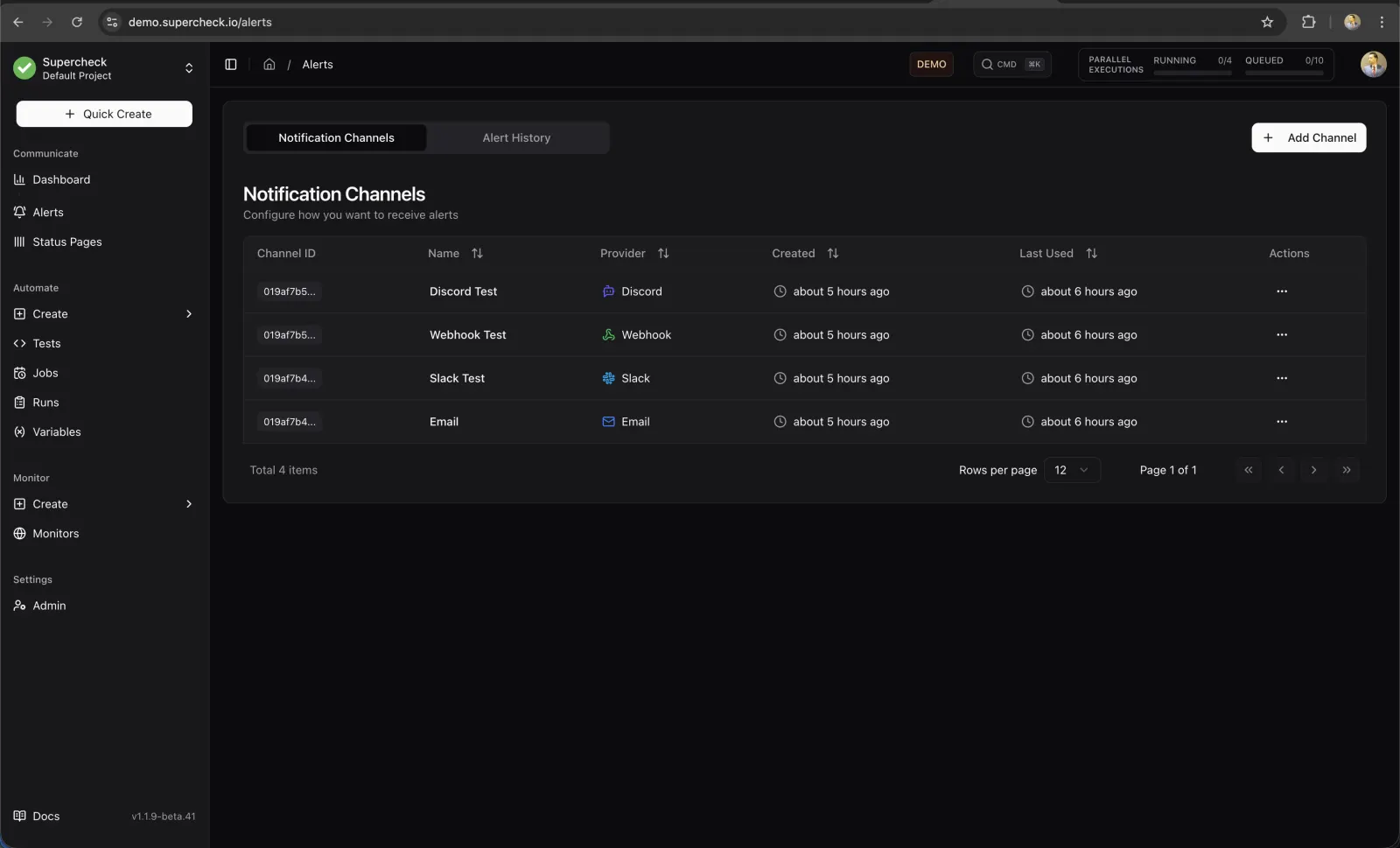
Send alerts where your team already works
Configure a notification channel, send a test message, then attach it to a monitor with the thresholds you want.
- Email, Slack, Discord, Telegram, Microsoft Teams and webhook channels
- Optional alert on recovery
- SSL expiration warnings on website monitors, at most once every 24 hours
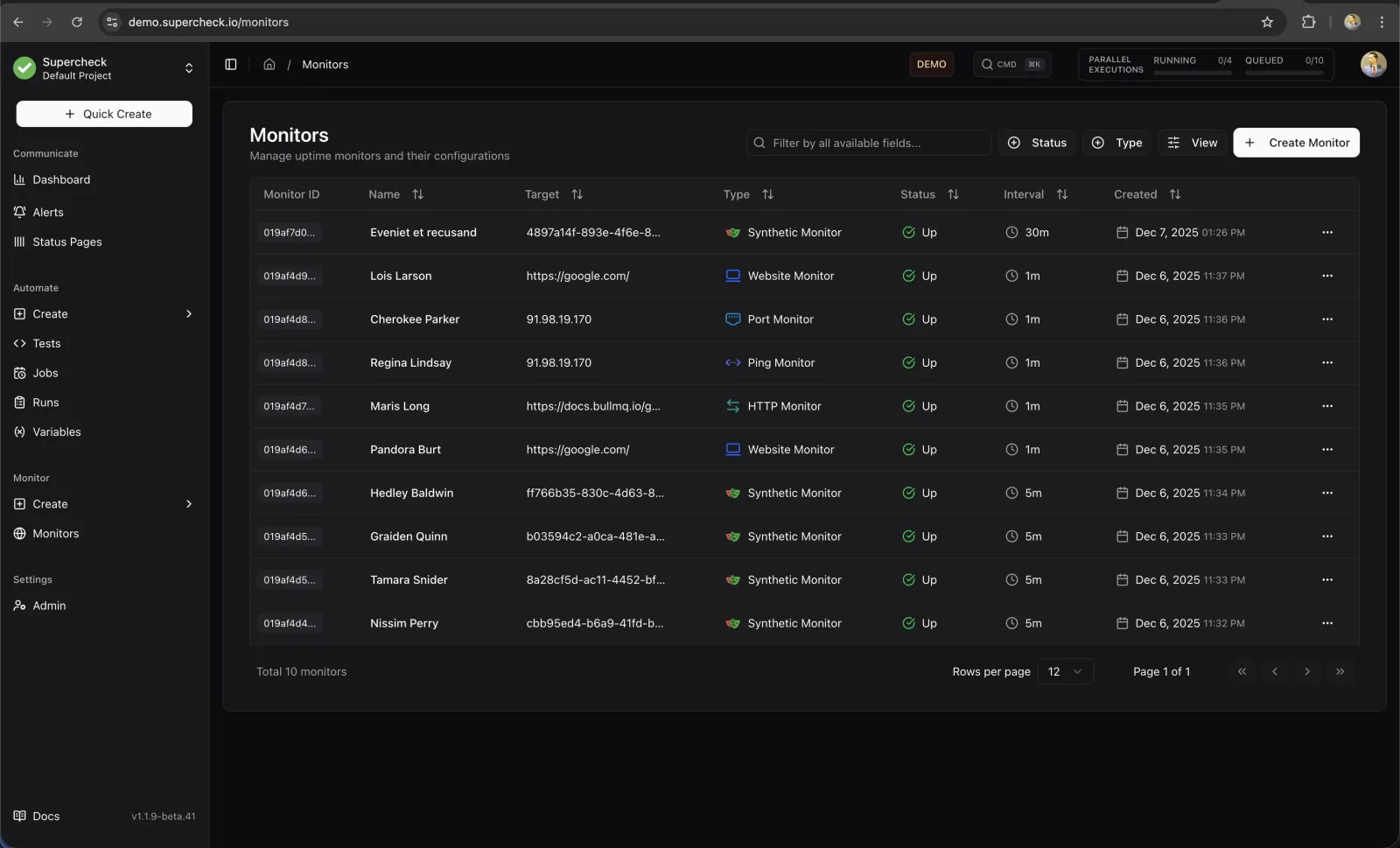
See every monitor in one list
The monitor list shows current status for every check. Open a monitor for its metrics, charts and recent results, or pause it during maintenance.
- Status: Up, Down, Paused, Pending, Maintenance or Error
- Run AI Analyze on a monitor for a health summary and suggested causes
- Publish the result on a status page for your users
Frequently asked questions
- How often can a monitor check?
- Check intervals go down to one minute. Synthetic monitors, which run Playwright tests, have a five-minute minimum.
- Does the ping monitor use ICMP?
- No. Ping monitors open a TCP connection on port 443 or 80. If the host accepts neither, the check fails.
- Which alert channels are supported?
- Email, Slack, Discord, Telegram, Microsoft Teams and webhooks.
- Can I run it on my own servers?
- Yes. Supercheck core is open source under AGPLv3 and can be self-hosted. Supercheck Cloud is waitlist-only.
- Does AI Analyze need extra setup?
- On a self-hosted install, an administrator must configure an AI provider first.
Add your first monitor
Explore the live demo to see monitors, results and alerts with sample data.